CHEF!
October 13, 2026 CHEF! Day 31
Iteration 268
Share
Work Priorities, Like RimWorld
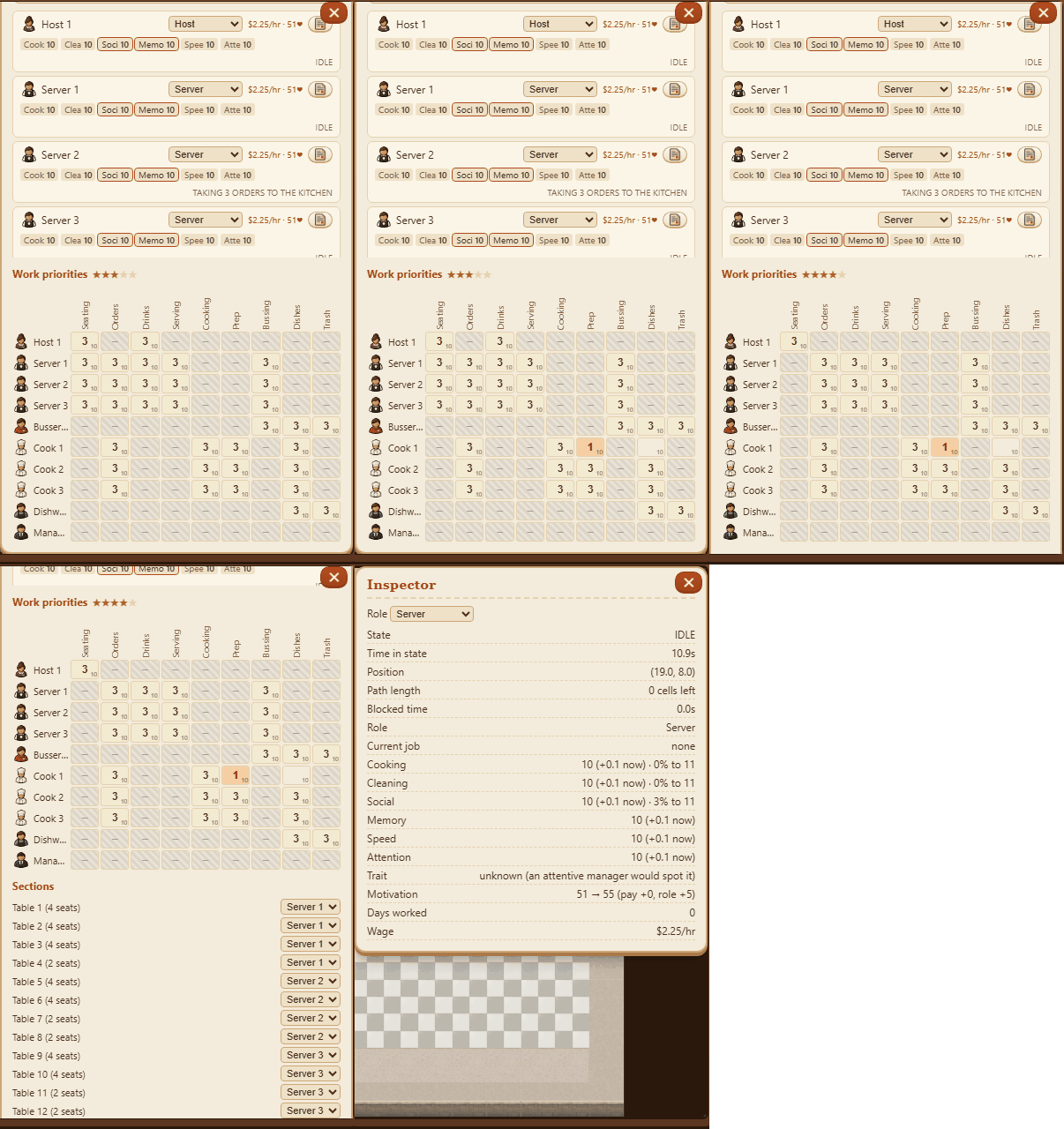
- The Staff panel has a Work priorities grid, like RimWorld's Work tab: a row for each worker, a column for each kind of work (seating, orders, drinks, serving, cooking, prep, bussing, dishes, trash).
- Click a cell to set that work's priority from 1 (first) to 4, or off. Right-click goes the other way. Everyone takes the work they've put first, so you can keep a cook on prep or stop a server from bussing. Each cell also shows the worker's level in what that work uses.
- Grey cells are work that role can't do: a host can't cook, a cook can't seat guests. You, the owner, can do anything.
- The restaurant now has a star tier that sets the floor rules. Up to 3 stars, servers can seat guests, a host can bring drinks, and the servers share every table. From 4 stars, guests need a host to seat them, only servers bring drinks, and each table belongs to one server's section.
- Sections are split evenly on their own, and you can give any table to another server.
- A place's tier moves a star a day toward its rating, up to what the campaign has unlocked. The café goes up to 3 stars. The test restaurant stays at 3.
- You can change someone's role right in the Inspector, beside their stats.
- The hostess is now the host, and the busboy is now the busser.
More from CHEF! ·
See this in the live feed